


GPU Choosing Paralysis: Breaking Down the Mid-Range GPU Mess (Plus Why Your Old i7-7700 Doesn't Suck)
Man, I feel for the person who posted that GPU question on Reddit. They've got an i7-7700 and can't upgrade their CPU, but they're staring at seven different graphics cards all priced similarly in their region. That's like having seven equally-priced booster boxes of different sets and trying to figure out which one gives you the best value. Spoiler alert: it's complicated.
This exact scenario plays out constantly in tech news and gaming technology discussions. Everyone's hunting for that perfect price-to-performance sweet spot.
The i7-7700 Reality Check: Your CPU Isn't the Problem
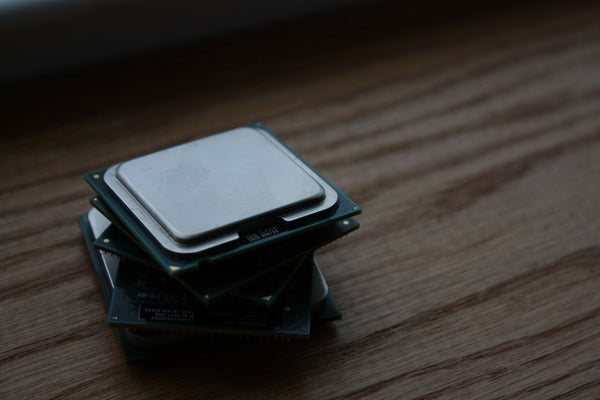
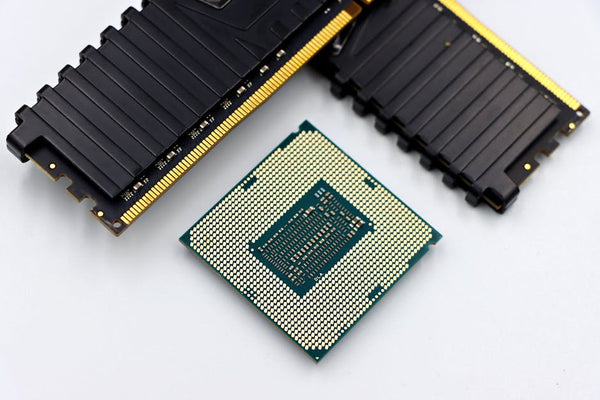
First things first — let's talk about that "old" i7-7700. Released in 2017, this quad-core beast still holds its own in 2024. Sure, it's not running the latest instruction sets, but it's basically the gaming equivalent of a well-maintained playset of fetchlands. Still totally playable.
The 7700 won't bottleneck any of these GPUs in most games. Honestly, people obsess way too much about CPU bottlenecks when their 1080p gaming performance is already solid. You're looking at maybe 5-10% performance loss in the most demanding titles compared to a newer CPU.
Will you miss out on some frames in Cyberpunk 2077 with ray tracing maxed? Maybe. But you're not building a streaming rig or editing 4K video here.
Breaking Down Your GPU Options: The Good, Bad, and Weird
Team Green: NVIDIA's Lineup
The RTX 2060 is like buying singles instead of packs — safe, predictable, but not exciting. It'll handle 1080p gaming at high settings without breaking a sweat. DLSS support gives it some future-proofing too.
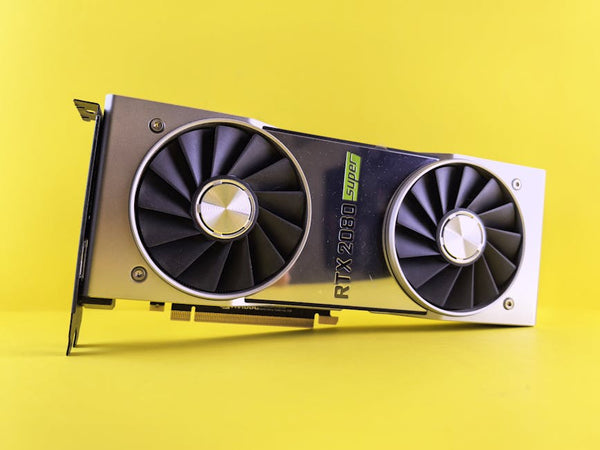
RTX 2060 Super bumps up the VRAM to 8GB and adds about 10-15% more performance. That extra VRAM isn't just marketing fluff — it matters for newer games that love to eat memory.
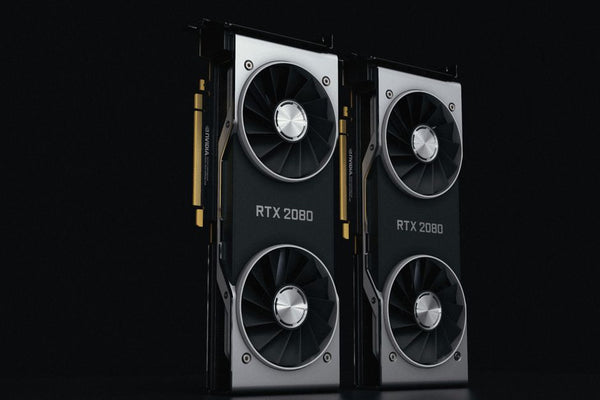
Now the RTX 2070 and 2070 Super? These are your premium pulls. The base 2070 sits awkwardly between the 2060 Super and 2070 Super, like that rare card that's good but not quite chase rare territory. The 2070 Super though? That's your money card right there.
RTX 3050 is honestly mid. It's newer architecture, sure, but only 8GB of VRAM and performance that barely beats a 1660 Super in many titles. It's like buying the latest set when the previous one has better EV.
Team Red: AMD's Contenders
RX 6600 is probably the dark horse here. Newer RDNA 2 architecture means better efficiency and surprisingly good 1080p performance. No ray tracing worth mentioning, but solid rasterization. Think of it as the budget aggro deck that just wins games.
RX 5700 XT was a beast when it launched, but it's getting long in the tooth. Still pushes great frame rates at 1080p and decent 1440p, but driver support for newer games can be sketchy. It's like playing with cards from a rotating format — technically legal, but you might run into compatibility issues.
The Real-World Performance Breakdown
Let me hit you with some actual numbers because specs without context are useless. At 1080p with high settings:
The RX 5700 XT and RTX 2070 Super trade blows at the top, pushing 80-100+ FPS in most AAA titles. The regular RTX 2070 sits about 10% behind. RTX 2060 Super holds steady around 65-80 FPS range.
Here's where it gets interesting though. Ray tracing changes everything for NVIDIA cards, while AMD basically taps out. An RTX 2060 with DLSS enabled can sometimes match a more expensive AMD card in supported titles.
Personally, I think ray tracing at 1080p is still a gimmick unless you're running DLSS. The performance hit just isn't worth the visual upgrade when you're trying to maintain 60+ FPS.
Hot take: If you're not planning to upgrade to 1440p within two years, the RX 6600 or RTX 2060 Super give you the best bang for your buck.
VRAM: The Silent Killer
This is where things get spicy. The RTX 2060's 6GB of VRAM is already showing its age in some 2024 titles. Games like Hogwarts Legacy and The Last of Us Part I can push past that limit at higher settings.
Meanwhile, the 8GB cards (2060 Super, 2070, 2070 Super, RX 5700 XT, RX 6600) give you breathing room. It's not just about current games — it's about not feeling like you need to upgrade again in 18 months.
What I'd Actually Buy (And Why You Might Disagree)
If I'm being completely honest? I'd probably grab the RX 6600 if the pricing is truly equal. Here's my reasoning: newer architecture means better efficiency, solid 1080p performance, and 8GB of VRAM for future-proofing.
But here's where I get uncertain — if you care about streaming, content creation, or any workstation tasks, NVIDIA's encoder is miles ahead. The difference between NVENC and AMD's encoder isn't even close.
Second choice would be RTX 2060 Super. DLSS support alone makes it worth considering, and the 8GB VRAM buffer gives you room to grow. I've seen customers at our shop in Orange, TX agonize over similar decisions, and usually the ones who prioritize DLSS end up happier long-term.
The RTX 2070 Super is objectively the strongest performer here, but only if you're planning to push 1440p gaming or really want that extra headroom for maxed settings.
The Wild Card Scenario
What if you could find a deal on any of these cards? Game changes completely. A discounted RTX 2070 Super suddenly becomes the obvious choice. A cheap RX 5700 XT that you can undervolt and overclock becomes tempting.
Market pricing fluctuates more than crypto, so your decision should factor in local availability. Check out options like Shop GPUs at TieredUp Tech to compare current pricing and availability.
The Compatibility Question Nobody Asks
Your power supply better be up to this task. Most of these cards want a quality 500-600W PSU minimum. The RX 5700 XT is particularly hungry, while the RX 6600 sips power like a hybrid car.
Also, check your case clearance. Some of these cards are absolute units, especially certain RTX 2070 Super models that stretch over 11 inches.
Don't be that person who buys a new GPU and realizes it doesn't fit. Measure twice, game once.
Future-Proofing vs. Performance Today
This decision ultimately comes down to your gaming timeline. Planning to upgrade your whole system in two years? Grab the cheapest option that meets your current needs.
Want this GPU to last until your i7-7700 finally gives up the ghost? Invest in more VRAM and newer architecture.
The GPU market moves fast, but not that fast. Any of these cards will handle current games just fine. The question is which one handles tomorrow's games without making you feel like you're running a budget deck at a competitive tournament.
Whatever you choose, that i7-7700 isn't holding you back nearly as much as you think. Sometimes the best upgrade is the one you don't make yet.












Leave a Comment