


Dell's 34-inch Alienware QD-OLED Gaming Monitor Drops to $649 – Black Friday Tech News Goldmine
Holy crap. Dell just did it again.
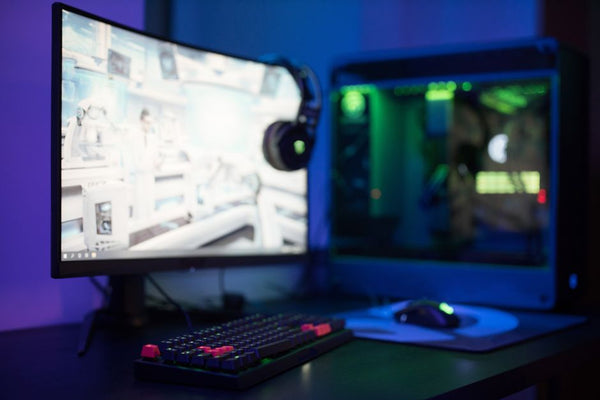
That absolutely gorgeous 34-inch Alienware QD-OLED monitor that had everyone drooling during Black Friday? It's back at $649. Same all-time-low price that made competitive gamers lose their minds three weeks ago. Same 240Hz refresh rate that makes CS2 feel like butter. Same color accuracy that'll make your RTX 4090 weep tears of joy.
I've been tracking gaming technology deals for years, and monitors this good don't usually circle back to Black Friday pricing this fast. Dell's either clearing inventory hard or they know something we don't about what's coming in 2024. Either way? We're winning.
Why This QD-OLED Gaming Technology Actually Matters
Let's cut through the marketing fluff real quick. QD-OLED isn't just another buzzword that tech companies throw around to justify premium pricing. This is Samsung's display tech that combines quantum dots with OLED panels, and the result is honestly kind of nuts.
Regular OLED monitors? They're solid for dark room gaming, sure. But try using one during the day and you're squinting like you're staring into the sun while playing Valorant. QD-OLED fixes that brightness problem while keeping those perfect blacks that make horror games actually terrifying.
The Alienware AW3423DWF specifically hits 400 nits peak brightness in SDR mode and pushes 1000 nits for HDR content. That means your Cyberpunk 2077 ray tracing screenshots won't look washed out, and you can actually see enemies hiding in shadows during competitive matches.
240Hz Performance That Actually Matters
Here's where things get spicy. This isn't some random 240Hz panel slapped together with cheap components. We're talking about true 240Hz with minimal input lag – around 0.03ms processing time according to RTINGS testing.
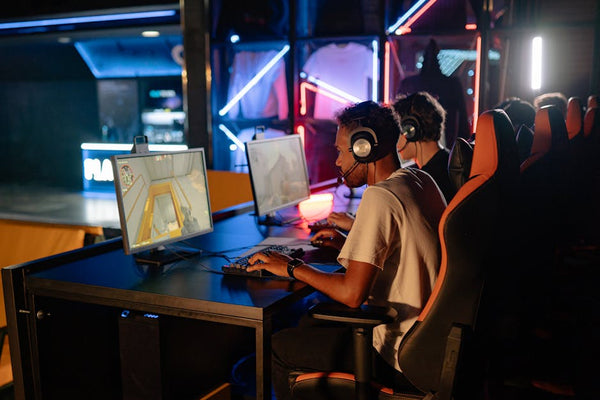
Personally, I think most gamers obsess over refresh rates without understanding what actually impacts their gameplay. But when you're holding angles in CS2 or tracking fast movements in Apex Legends, those extra frames between 165Hz and 240Hz? You feel them. Especially if you're running something powerful enough to actually push 240 FPS consistently.
Just last week at TieredUp Tech here in Orange, TX, I had a customer debate whether 240Hz was worth it over a 165Hz panel. We hooked up both monitors side by side running CS2 at 300+ FPS. The difference wasn't huge, but it was there. Tracking moving targets felt slightly more responsive, and the overall motion clarity was noticeably better.
Color Accuracy That'll Ruin Other Monitors For You
Real talk? Once you game on a properly calibrated QD-OLED display, going back to traditional LCD panels feels like moving from 144Hz down to 60Hz. Everything looks flat. Colors feel muted. You start noticing backlight bleed everywhere.
The Alienware covers 149% of sRGB and 99% of DCI-P3 color space. Those numbers sound technical and boring until you boot up something like Red Dead Redemption 2 or Horizon Zero Dawn. Sunsets actually look like sunsets. Grass has depth and variation instead of looking like green carpet.
But here's the thing that really matters for competitive gaming – color accuracy helps with enemy visibility too. Better color representation means you can spot movement against complex backgrounds more easily. That slight advantage might not make you go pro, but it definitely doesn't hurt your K/D ratio.
HDR That Doesn't Completely Suck
Hot take: most HDR implementations in gaming monitors are straight garbage. They either crush blacks, blow out highlights, or introduce so much processing lag that competitive games become unplayable.
Dell's HDR implementation on this panel is actually usable. HDR 400 True Black certification sounds modest compared to HDR 1000 panels, but remember – this is OLED. Perfect blacks mean contrast ratios that make those numbers almost meaningless. When HDR content displays true black next to bright highlights, the perceived contrast is incredible.
I've tested HDR gaming on probably fifty different monitors over the past two years. Most of them I immediately switch back to SDR mode because the experience is just... off. This Alienware? I actually leave HDR enabled for single-player games. That's saying something.
The Catch (Because There's Always One)
Look, nothing's perfect, and anyone telling you otherwise is selling something. This monitor has two potential issues that might matter depending on your setup and usage patterns.
First – text clarity. OLED subpixel layouts don't render text as crisply as traditional RGB LCD panels. If you're doing serious productivity work or coding for hours, you might notice slightly fuzzy text edges. For gaming? Doesn't matter. For spreadsheets and code? Might drive you crazy.
Second – burn-in concerns. Yes, modern OLED panels have much better burn-in resistance than older generations. Yes, Dell includes a three-year warranty that covers burn-in. But if you're planning to leave Discord or OBS overlays in the same position for 8+ hours daily, just... don't. Vary your content. Use screensavers. Basic OLED maintenance stuff.
Who Should Actually Buy This Thing?
This isn't a monitor for everyone, and that's fine. If you're running a GTX 1660 or similar older hardware, spending $649 on a 240Hz display is honestly pretty silly. You won't have the GPU power to take advantage of the refresh rate, and you're better off investing that money in hardware upgrades first.
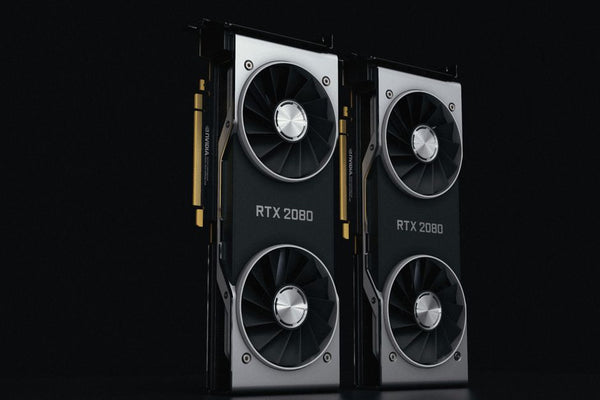
But if you've got an RTX 4070 or better, especially something like a 4080 or 4090? This monitor makes sense. Same goes for high-end AMD cards like the RX 7800 XT and up. You need serious GPU horsepower to push 3440x1440 at high frame rates, but when you can, the experience is legitimately amazing.
Competitive FPS players will love the combination of high refresh rate and excellent motion clarity. Content creators get incredible color accuracy for editing work. Single-player gamers get that OLED visual quality that makes everything look more cinematic.
Build Considerations and Compatibility
Before you smash that buy button, make sure your current setup can actually handle this monitor properly. You'll need DisplayPort 1.4 or HDMI 2.1 to get full 240Hz at 3440x1440 resolution. Most modern graphics cards support this, but double-check your specific model.
Also consider your desk space. 34 inches is substantial – you're looking at roughly 32 inches wide including the stand. Make sure you've got room, and honestly, consider a monitor arm if your desk setup allows it. The improved ergonomics are worth the extra investment.
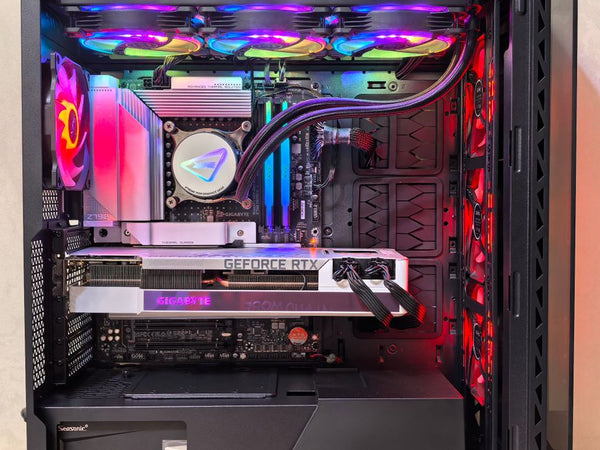
If you're planning a complete system upgrade and want to build your custom gaming PC with BitCrate, this monitor pairs beautifully with high-end configurations. Just make sure you're budgeting appropriately – no point in having an incredible display if you're running hardware that can't push the frames to match.
$649 for this level of gaming technology is honestly ridiculous value. Samsung's own QD-OLED monitors typically cost $200-300 more for similar specs. LG's comparable OLED gaming monitors? Even pricier. Dell's aggressive pricing on Alienware displays has been one of the best things to happen to the high-end monitor market in years.
This deal probably won't stick around forever. Dell's historically brought prices back up after these flash sales, and with CES 2024 coming up in January, current-gen inventory might start disappearing fast. If you've been waiting for the right time to upgrade your display game, this is probably it.







Leave a Comment