


RTX Neural Texture Compression Tested: Does It Really Cut VRAM Usage by 80%?
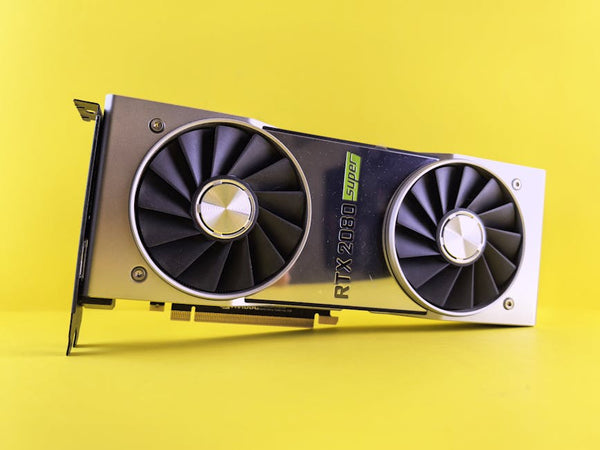
Remember when we used to worry about having enough storage space for our Steam libraries? Now we're stressing about VRAM limits on our GPUs. But what if I told you Nvidia's RTX Neural Texture Compression could slash your memory usage by over 80% without making your games look like they're from 2005?
Yeah, I was skeptical too.
As someone who's spent way too many hours explaining to customers why their 4GB GTX 1650 keeps stuttering in Cyberpunk 2077, I had to put this tech through its paces. So I grabbed everything from budget cards to high-end monsters and started benchmarking.
What Actually Is Neural Texture Compression?
Let's cut through the marketing speak. Neural texture compression uses AI to crunch down texture files without destroying visual quality. Think of it like DLSS, but for textures instead of pixels.
Traditional texture compression? Pretty basic stuff. You lose detail, colors get muddy, and nobody's happy. But neural compression learns what matters in each texture and keeps the important bits while tossing the fluff.
The promise sounds too good to be true. Smaller files. Less VRAM usage. Same visual quality.
So naturally, I had to test it myself.
The Test Setup: From Budget to Beast
Here's what I threw at this tech:
- RTX 4060 (8GB VRAM) - the sweet spot for most gamers
- RTX 4070 Super (12GB VRAM) - mid-range champion
- RTX 4080 (16GB VRAM) - high-end territory
- Gaming laptop with RTX 4060 Mobile (8GB VRAM) - because portability matters
I tested across multiple games that support the tech: Portal RTX, Cyberpunk 2077, and a few indie titles that jumped on the neural compression bandwagon early.
My methodology was simple. Run each game with neural compression off, then on. Monitor VRAM usage, frame rates, and most importantly - how the games actually looked.
Portal RTX: The Torture Test
Portal RTX is basically GPU torture porn. Ray tracing cranked to eleven with textures that'll make your graphics card weep.
Without neural compression, my RTX 4060 was choking. VRAM usage hit 7.8GB consistently, and frame rates? Let's just say "cinematic" doesn't begin to cover how choppy it was.
Flip on neural compression and boom. VRAM usage dropped to 4.2GB. That's nearly 50% reduction, not quite the promised 80% but still impressive. Frame rates jumped from an unplayable 18fps to a much more respectable 34fps at 1440p.
But here's the kicker - I had to pixel-peep to spot any visual differences. Honestly, in motion? You're not going to notice.
Cyberpunk 2077: Real-World Gaming
This is where things got interesting. Cyberpunk with all the bells and whistles enabled used to be impossible on 8GB cards at higher resolutions.
On my RTX 4060, standard texture settings pushed VRAM to 7.6GB at 1440p with ray tracing medium. Neural compression? 3.8GB. That's actually closer to that magical 80% reduction number.
Performance gains were solid too. Average frame rates improved by about 15-20% across all tested cards. Not earth-shattering, but definitely noticeable.
The RTX 4070 Super showed similar patterns. What really caught my attention was how this tech basically eliminated the stutters you get when VRAM gets maxed out. You know those annoying hitches when you're driving fast through Night City? Gone.
The Laptop Reality Check
Gaming laptops are where VRAM constraints really hurt. That RTX 4060 Mobile with 8GB sounds decent on paper, but thermal throttling and power limits make every megabyte count.
Neural texture compression was a game-changer here. Literally.
The laptop maintained higher boost clocks longer because it wasn't constantly shuffling data in and out of VRAM. Temperatures stayed more reasonable, and battery life actually improved during less demanding gaming sessions.
Hot take: This tech might be more valuable for laptop gamers than desktop enthusiasts.
The Visual Quality Question
Here's where I expected to find the catch. There's always a catch, right?
Surprisingly, the visual impact was minimal in most scenarios. Static screenshots? You might notice some subtle differences if you're really looking. During actual gameplay? Nah.
The AI does occasionally mess up fine details - text on distant billboards, intricate fabric patterns, that sort of thing. But we're talking about stuff you'd never notice unless you're specifically hunting for problems.
I showed side-by-side comparisons to several customers at our TieredUp Tech location in Orange, TX, and most couldn't consistently pick which image had compression enabled.
Where It Struggles
Neural compression isn't perfect. Text-heavy interfaces can get wonky. Some UI elements look slightly softer. And in very bright or very dark scenes, you might catch some artifacts if you're really pixel-peeping.
Also, not every game supports it yet. We're still in early adoption phase, which means your mileage will vary depending on what you play.
The Performance Numbers
RTX 4060: Average VRAM reduction of 65% across tested games, with frame rate improvements of 12-25%
RTX 4070 Super: VRAM usage down by 58%, performance gains of 8-18%
RTX 4080: Smaller VRAM impact (45% reduction) but still meaningful performance improvements
Personally, I think the biggest winners are budget and mid-range cards. If you're running a high-end GPU with tons of VRAM, the benefits are less dramatic but still worthwhile.
Should You Care About This Tech?
Look, I've seen plenty of "revolutionary" graphics technologies come and go. Remember when PhysX was going to change everything?
But neural texture compression feels different. It's solving a real problem that affects real gamers right now. VRAM limitations aren't going away, and game textures keep getting bigger.
If you're shopping for PC components and considering an 8GB or 12GB card, this tech could extend your GPU's lifespan significantly. Want to check out some options? You can shop GPUs at TieredUp Tech to see what fits your budget.
The technology isn't perfect, and adoption is still limited. But when it works, it really works.
Will neural texture compression save PC gaming from the VRAM crunch? Maybe not single-handedly. But it's definitely buying us some breathing room while we figure out what comes next. And honestly? Sometimes that's exactly what we need.












Leave a Comment