


GPU Mining Malware is Targeting Gamers Through Fake Downloads — Don't Fall for These Common Traps
Remember when the biggest threat to your gaming rig was accidentally downloading sketchy mods? Well, those days feel quaint now. Microsoft just dropped some seriously concerning news about a cryptojacking campaign that's specifically targeting gamers and high-end PC users. We're talking about malware that hijacks your GPU to mine cryptocurrency — and it's getting distributed through fake versions of tools you probably use every day.
The scary part? They're not just relying on shady torrent sites anymore. These attackers are using SEO poisoning and even AI chatbots to trick people into downloading malware disguised as legitimate PC utilities like HWMonitor and CrystalDiskInfo. As someone who's spent years helping customers build and optimize their rigs, this hits close to home.
How GPU Mining Malware Actually Works (And Why Your RTX 4090 is Prime Real Estate)
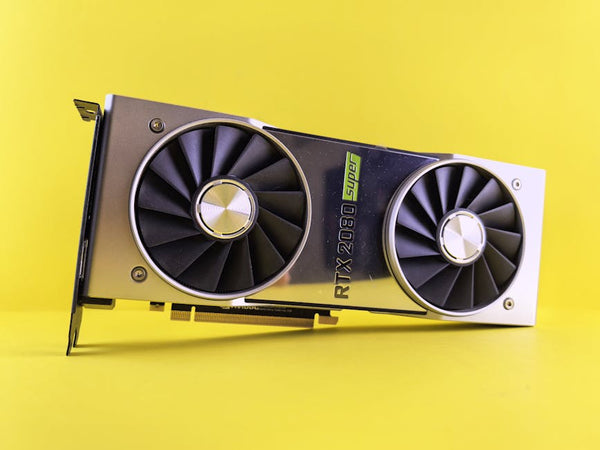
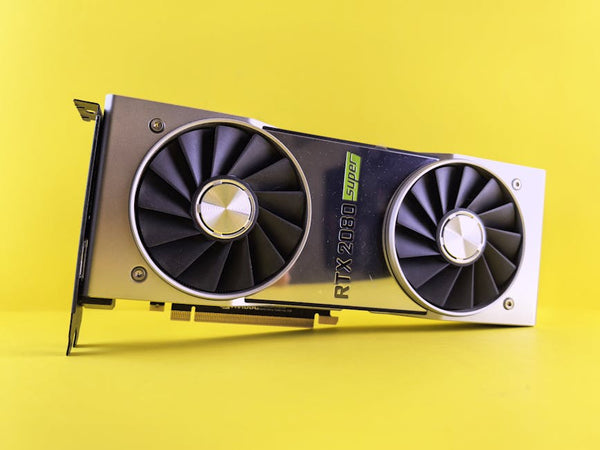
Let's break this down. Cryptojacking malware essentially turns your GPU into a cryptocurrency mining slave without your knowledge. Your beautiful RTX 4090 that you paid $1,600 for? It's secretly making money for some criminal while you're wondering why your temps are hitting 85°C during Netflix.
The GPU-focused approach makes perfect sense when you think about it. Modern graphics cards are cryptocurrency mining powerhouses. An RTX 4080 can hash at around 120 MH/s on Ethereum before the merge, and even now with other cryptocurrencies, these cards are goldmines. Why wouldn't criminals want to steal that processing power?
But here's what's particularly nasty about this campaign — it's not just random malware hoping to catch some fish. These attackers are deliberately targeting enthusiasts and gamers who own high-end hardware. They know we're the ones with the expensive GPUs worth hijacking.
The SEO Poisoning Trick That's Fooling Smart People
Here's where it gets really clever (and terrifying). The attackers aren't just hoping you'll stumble onto their fake sites. They're actively gaming Google's search results through SEO poisoning. You search for "HWMonitor download" or "CrystalDiskInfo official site" and boom — their malicious site shows up right alongside or even above the legitimate results.
I can't tell you how many times customers have asked me about weird performance issues that turned out to be malware-related. One guy came into our shop in Orange, TX last month convinced his brand-new RTX 4070 Ti was defective because it was constantly running hot and loud. Turns out? Cryptojacking malware was secretly mining in the background. His GPU wasn't broken — it was being stolen.
AI Chatbots Are Now Part of the Problem
This is where things get really wild. Microsoft found that some of these malware campaigns are actually using AI chatbot recommendations to spread their fake downloads. Think about that for a second. You might ask an AI assistant for help finding a good hardware monitoring tool, and it could direct you to a malicious site.
Honestly, this development keeps me up at night. We're living in an era where AI is supposed to make our lives easier, but criminals are weaponizing it against us. How are regular users supposed to know if an AI recommendation is legitimate or part of a cryptojacking scheme?
The sophistication here is genuinely impressive in the worst possible way. These aren't script kiddies throwing together basic malware. This is organized, strategic, and they're playing the long game with SEO and AI manipulation.
Common PC Utilities Being Impersonated (Check Your Downloads)
The fake software list is particularly concerning because these are tools that every serious PC builder and gamer uses regularly:
- HWMonitor — Everyone needs temperature and voltage monitoring
- CrystalDiskInfo — Essential for checking drive health
- GPU-Z — The go-to for GPU information and validation
- CPU-Z — Standard for CPU identification and benchmarking
See the pattern? These aren't obscure utilities. They're the bread and butter of PC maintenance and monitoring. Every GPU review and CPU benchmark guide recommends at least half of these tools. That's exactly why criminals are targeting them.
Red Flags That Should Make You Hit the Brakes
After dealing with malware cleanup for years, I've learned to spot the warning signs that most people miss. Want to know what immediately makes me suspicious?
First, download sources that aren't the official developer websites. I know, I know — sometimes the official sites are slow or hard to find. But that's exactly what criminals are counting on. They know you'll take the first decent-looking download link Google serves up.
Second, any software that immediately wants admin privileges without a clear reason. Legitimate utilities like HWMonitor need elevated access to read hardware sensors, sure. But if some random "PC optimizer" you downloaded is demanding admin rights? That's a massive red flag.
Hot take: If you can't verify the digital signature on a piece of software, don't run it. Period. I don't care how convenient or how much time you're trying to save. Your gaming rig isn't worth the risk.
The Performance Impact You Might Not Notice
Here's something that really bothers me about GPU cryptojacking — it's designed to be subtle. These criminals know that if your games suddenly drop from 144fps to 60fps, you'll investigate. So they're smart about it.
The malware often throttles itself when it detects gaming activity or high GPU usage from legitimate applications. Your gaming performance might only drop by 5-10%, which you might chalk up to driver issues or background Windows updates. Meanwhile, when you're not gaming, your GPU is running full blast mining cryptocurrency.
This is why monitoring tools are so important, but it's also why criminals are targeting those exact tools. It's a vicious cycle. You need HWMonitor to watch for suspicious GPU activity, but criminals are using fake versions of HWMonitor to install the very malware you're trying to detect.
Simple Steps That Actually Work (No Security Theater)
Look, I'm not going to give you some twenty-step security checklist that nobody actually follows. Let's be realistic about what works in the real world.
Always download directly from the developer's official website. Not the first Google result, not from a software aggregator site, not from some random forum post. Bookmark the official sites for tools you use regularly. CPUID for CPU-Z and HWMonitor, Crystal Dew World for CrystalDiskInfo, TechPowerUp for GPU-Z.
Use Windows Defender or whatever antivirus you prefer, but don't rely on it as your only line of defense. These cryptojacking campaigns are sophisticated enough to evade detection for weeks or months.
Monitor your GPU temperatures and usage regularly. If you notice your card running hot when you're just browsing the web, that's worth investigating. Task Manager's GPU usage graph is actually pretty decent for spotting suspicious activity.
Why This Matters More Than Just Money
Sure, having criminals steal your GPU's processing power costs you electricity and potentially shortens your hardware lifespan. But there's a bigger issue here that I think gets overlooked.
These cryptojacking campaigns erode trust in the tools and communities that make PC gaming great. When you can't trust download recommendations from AI chatbots or even Google search results, where does that leave enthusiasts who are just getting started?
I've seen new builders completely overwhelmed by the paranoia of not knowing which downloads are safe. Some people just give up and buy prebuilts rather than deal with the risk. That's exactly the opposite of what our community should be about.
Personally, I think we need to get better at teaching people how to verify software authenticity, not just scaring them away from downloading anything. The solution isn't to avoid useful utilities — it's to get smarter about where and how we get them.
The criminals behind these GPU mining campaigns are betting on our impatience and our trust in search engines and AI recommendations. Don't give them the satisfaction. Take thirty extra seconds to verify your downloads, because your RTX 4080 is too expensive to become someone else's mining rig. The fight for your GPU's soul is happening right now — and it's a fight worth winning.
Looking for the right setup? Check out Shop GPUs at TieredUp Tech — built right here in Orange, TX.












Leave a Comment