


Philips 5K Dual-Mode Gaming Monitor: Why Going West Means More Than Just Pretty RGB
The Philips 5K dual-mode gaming monitor is finally making its way to Western markets, and honestly? It's about time. But here's the thing everyone's missing – this isn't just a simple regional release. The Western version comes with some key differences that could make or break your setup, and I've already seen people making some pretty expensive mistakes.
Think of it like pulling a holographic Charizard versus a first edition base set Charizard. Same card, different rarity, totally different value proposition. The Chinese version was solid, don't get me wrong, but this Western release has USB Type-C and enhanced RGB lighting that actually serve a purpose beyond looking pretty.
The Dual-Mode Feature Everyone's Sleeping On
Let's talk about what dual-mode actually means here. This isn't marketing fluff – you're getting legitimate 5K resolution for productivity work and a dedicated gaming mode that prioritizes refresh rate and response time. Most people are fixating on the white shell (which does look clean, ngl), but they're missing the real magic.
The monitor can switch between these modes seamlessly. Need to edit 4K video? Boom, full 5K clarity. Time to hop into ranked Valorant? Gaming mode kicks in with optimized settings for competitive play. It's like having two monitors in one, except you don't need to deal with the cable management nightmare.
Personally, I think this is where monitor tech should've been heading years ago. Why force users to choose between productivity and gaming when you can engineer both into one display?
Common Mistake #1: Ignoring Your GPU's Capabilities
Here's where I see people mess up constantly. They see "5K gaming monitor" and immediately think their RTX 4060 Ti can handle it. Spoiler alert: it can't, at least not at the settings you want.
5K gaming demands serious horsepower. We're talking RTX 4080 minimum for decent frame rates in modern titles, and that's with some compromises. An RTX 4090 is really what you want for the full experience. I had a customer last week at our Orange, TX shop who was dead set on pairing this monitor with a 4070 Super. Had to have a real heart-to-heart about realistic expectations.
Running 5K at 60fps in Cyberpunk 2077 with RTX on? You're looking at $1,800+ for the GPU alone.
The dual-mode feature becomes crucial here. Use 5K for productivity, then drop to a lower resolution for gaming if your GPU isn't up to snuff. Smart shopping means understanding your hardware limitations before you drop serious cash.
USB Type-C: The Unsung Hero of Modern Esports Setups
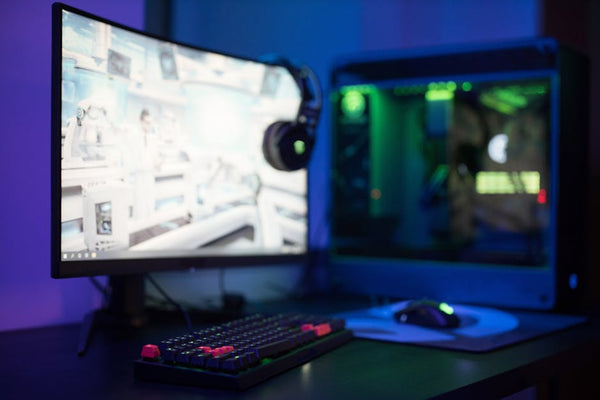
The addition of USB Type-C to the Western version isn't just a nice-to-have – it's a game-changer for competitive gaming setups. Think about it: single cable for video, power, and data to your laptop or handheld gaming device.
For esports athletes who travel to tournaments, this means one less cable to manage. Your gaming laptop connects with one USB-C cable, gets charged through the monitor, and delivers that crisp 5K image. Clean setup, fewer failure points, more reliable performance when it matters.
The Chinese version lacked this feature entirely. You were stuck with traditional DisplayPort and HDMI connections, which meant separate power cables for laptops and more complex cable management. Not a dealbreaker, but definitely less elegant.
Common Mistake #2: Underestimating Cable Quality
USB-C might seem like just another port, but not all cables are created equal. You need USB-C cables rated for the full bandwidth this monitor demands. Cheap cables will bottleneck your experience or flat-out not work.
Look for Thunderbolt 4 certified cables if you want the full 5K experience through USB-C. Yes, they cost more – sometimes $50-80 for a quality 6-foot cable – but skimping here is like putting budget tires on a Ferrari. The whole system suffers.
I've seen too many people buy this monitor, grab a random USB-C cable from Amazon for $15, then complain about flickering or reduced resolution. Don't be that person.
The White Shell Aesthetic: More Than Instagram Bait
Everyone's talking about how clean the white shell looks, and they're not wrong. But there's actually practical value here beyond aesthetics. White monitors reflect more ambient light, which can help reduce eye strain in bright rooms. It's subtle, but real.
The enhanced RGB lighting on the Western version isn't just for show either. Philips integrated it with their AmbiGlow technology, which syncs with on-screen content. Watching a sunset in Red Dead Redemption 2? The back lighting shifts to warm oranges and reds.
Hot take: RGB lighting gets a bad rap from the "function over form" crowd, but when it's done right like this, it actually improves the viewing experience. Your peripheral vision picks up these color cues, making games feel more immersive without being distracting.
Common Mistake #3: Wrong Desk Setup for 5K Monitors
This is where people really mess up. A 5K monitor at 27 inches means incredibly high pixel density – 218 PPI to be exact. That's sharper than most smartphone screens. But if you're sitting too close or too far, you'll either get eye strain or miss the detail benefits entirely.
Optimal viewing distance for 5K at 27 inches is 24-30 inches. Closer than that and text gets uncomfortable. Further away and you're wasting the resolution advantage. Your desk depth matters more than you think.
Also consider your lighting setup. That beautiful white shell will show fingerprints and dust more readily than black monitors. Keep microfiber cloths handy and maybe invest in proper task lighting to avoid glare on the screen surface.
Competitive Gaming Reality Check
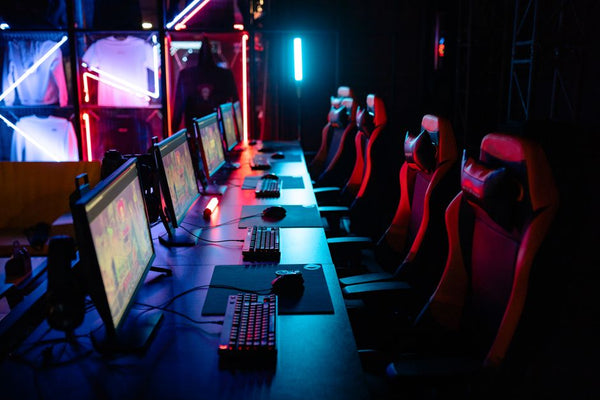
Let's be real about esports and pro gaming use cases. Most competitive titles aren't optimized for 5K gaming. Counter-Strike 2, Valorant, League of Legends – these games prioritize frame rate over resolution in competitive settings.
Professional esports players typically use 1080p or 1440p monitors with 240Hz+ refresh rates. The dual-mode feature becomes valuable here because you can drop resolution in gaming mode while maintaining the high refresh rate performance that matters for competitive play.
But here's where it gets interesting: content creators who also compete need both worlds. Streaming requires sharp visuals for audience engagement, while gameplay demands responsiveness. This monitor bridges that gap better than most alternatives.
The question becomes: are you primarily gaming or primarily creating content that happens to include gaming? Your answer should drive your monitor choice more than specs on paper.
Pricing Reality and Value Proposition
Western pricing isn't officially announced yet, but expect a premium over the Chinese version. We're probably looking at $800-1200 for this monitor when it hits shelves. That puts it in direct competition with OLED gaming monitors that offer different advantages.
Is it worth it? Depends on your use case. For pure gaming, probably not – you can get better performance per dollar elsewhere. For mixed productivity and gaming with emphasis on visual quality, it starts making sense.
The real value comes from not needing two separate monitors. Office work during the day, gaming at night, content creation on weekends – one display handles it all competently. That's worth something, even if it's hard to quantify exactly.
When you're ready to build your custom gaming PC to pair with monitors like this, make sure your GPU budget matches your display ambitions. There's nothing worse than bottlenecking a premium monitor with inadequate hardware.
The Philips 5K dual-mode monitor represents where the industry should be heading – versatile displays that adapt to user needs rather than forcing compromises. Whether it succeeds in Western markets depends on pricing and how well Philips educates consumers about what dual-mode actually means. Because right now? Most people are still fixated on that pretty white shell and missing the real innovation underneath.

























Leave a Comment