


Backblaze GPU Review: When Cloud Storage Providers Change the Game Mid-Match
So here's a fun story that'll make your blood boil. You know how we're always talking about gaming performance and reliable hardware? Well, turns out the cloud storage world is pulling some moves that'd make even the shadiest game publisher blush. Backblaze — that company everyone's been recommending for "unlimited" backups — just quietly redefined what unlimited actually means. And honestly? It's giving me major flashbacks to when EA started charging for DLC that should've been in the base game.
I discovered this mess last week when a customer at TieredUp Tech was setting up their new rig and asked about backup solutions. Dude had spent serious cash on a 4080 build and wanted to protect his game saves and streaming content. Makes sense, right?
Wrong.
The "Unlimited" Bait and Switch That's Got Everyone Talking
Remember when graphics cards had honest names? Like when a GTX 1080 actually performed better than a 1070? Those were simpler times. Now we've got RTX 4060 Ti cards with confusing memory configs, and apparently cloud storage companies are following the same playbook.
Backblaze's new definition of "unlimited" excludes files stored in cloud sync folders. That means no Dropbox. No OneDrive. No Google Drive. You know — the places where most people actually keep their important stuff these days? It's like buying a motherboard that claims to support "all modern CPUs" but then finding out it doesn't work with AMD. Technically true if you squint hard enough, but come on.
Users are discovering that their Dropbox folders, OneDrive syncs, and other cloud-stored files aren't being backed up — sometimes years after thinking they were protected.
The kicker? This wasn't announced with fanfare. No press release. No email blast. Just a quiet policy update that users are stumbling across when they actually need their backups. How's that for customer service?
What This Actually Means for Your Data
Let's break down what Backblaze is and isn't backing up now. Think of it like a CPU benchmark — the numbers tell the real story, not the marketing.
Still backed up: Local files on your hard drives, external drives connected to your computer, network attached storage that appears as local drives. Basically, anything that lives directly on your machine.
Not backed up: Dropbox folders, OneDrive sync folders, Google Drive File Stream, iCloud Drive, and pretty much any other cloud sync service you're using. You know, the stuff that's probably most important to you.
It's honestly baffling. These companies are pushing AI storage services while simultaneously making their core product less useful for regular people. What's next — Netflix deciding they're only going to stream movies that start with the letter Q?
The AI Storage Pivot That's Leaving Regular Users Behind
Here's where things get interesting, and not in a good way. Backblaze has been making noise about their AI and machine learning storage solutions. Big enterprise contracts. Corporate partnerships. The works.
Sound familiar? It's giving me serious Adobe vibes — remember when they cared about individual users before going full corporate subscription model?
Personally, I think this signals a major shift away from consumer backups. The writing's on the wall, and it's written in corporate buzzwords about "enterprise solutions" and "AI-driven storage optimization." Translation: regular people aren't profitable enough anymore.
Performance Impact: When Your Backup Solution Becomes the Bottleneck
Speaking of performance, let's talk about what this means for your actual workflow. You've spent good money on fast NVMe drives, maybe even a PCIe 5.0 SSD that screams at 12,000+ MB/s. Why would you want a backup solution that doesn't actually back up the files you access most?
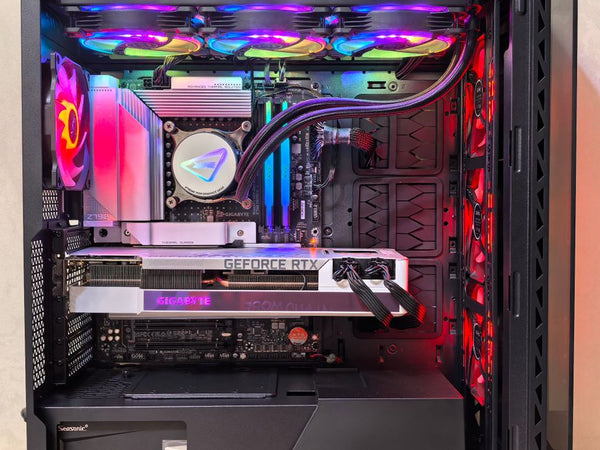
It's like having a beast gaming rig with a 7800X3D and RTX 4090, but then running it with DDR4-2133 RAM. Sure, it'll work, but you're missing the whole point.
The irony? Cloud sync folders are often where creative professionals store their active projects. Video editors, streamers, content creators — the exact people who need reliable backups most. These are also the people who typically have high-end hardware and are willing to pay for quality services.
Better Alternatives That Won't Leave You Hanging
So what should you do if you're currently relying on Backblaze? Hot take: this might actually be a blessing in disguise. Forces you to evaluate whether cloud backup is even the right approach.
Local backup solutions are looking pretty appealing right now. A good NAS setup with RAID redundancy will give you faster restore speeds than any cloud service. Plus, you're not at the mercy of some company's shifting business priorities.
If you're dead set on cloud backup, there are alternatives. Crashplan still offers true unlimited backup that includes cloud sync folders. Carbonite does too, though their interface makes Windows Vista look modern. None of them are perfect, but at least they're honest about what they're backing up.
For the DIY crowd (and let's be real, if you're reading this you probably fall into that category), consider a hybrid approach. Local NAS for immediate access and speed, plus a secondary cloud service for offsite protection. It's more complex, but you're not putting all your eggs in one increasingly unreliable basket.
The Real Question: Can You Trust Cloud Storage Companies Anymore?
This whole situation raises a bigger question that honestly keeps me up at night. If a company can quietly redefine "unlimited" and change their service parameters without proper notice, what else might they change?
We've seen this pattern before in tech. Company starts with generous terms to build market share, then gradually restricts service once they've got users locked in. It's the freemium model playbook, except you're paying full price the whole time.
Maybe I'm being paranoid, but after watching the games industry pull this stuff for years, I'm not giving cloud storage companies the benefit of the doubt anymore. When someone shows you who they are, believe them.
Building Your Own Backup Strategy That Actually Works
Look, I get it. Managing your own backups sounds about as fun as manually updating drivers before every gaming session. But here's the thing — once you set it up right, it's actually more reliable than trusting some company that might decide your files aren't worth backing up anymore.
If you're building a new system or upgrading, factor backup storage into your budget from the start. Build your custom gaming PC with BitCrate and include proper storage redundancy from day one. It's easier than retrofitting later.
The 3-2-1 rule still applies: 3 copies of important data, 2 different types of media, 1 offsite. Except now maybe that offsite copy should be a drive at your friend's house instead of a cloud service that might randomly decide your files don't count.
Am I being overly harsh on Backblaze? Maybe. But when you market "unlimited" backup and then quietly exclude the files people actually need backed up most, you've earned some criticism. This isn't a GPU review where we can benchmark performance objectively — this is about trust, and they've broken it.
The AI storage pivot tells us everything we need to know about where their priorities lie. And spoiler alert: it's not with regular users who just want their files protected without having to parse legal documents to understand what's actually being backed up.


















Leave a Comment