


TP-Link Archer BE770 Wi-Fi 7 Router Review: When Wireless Wins but Wired Gets Weird
The TP-Link Archer BE770 is like pulling a holographic charizard from a booster pack, then realizing it's got a slight crimp that knocks down its PSA grade. You're still excited about what you got, but there's this nagging feeling something isn't quite perfect. This Wi-Fi 7 router absolutely crushes wireless performance benchmarks, delivering speeds that make my old Wi-Fi 6 setup look like dial-up. But here's where it gets interesting – TP-Link made some questionable choices with the wired connectivity that honestly leave me scratching my head.
After spending two weeks testing this beast at home and helping customers at TieredUp Tech in Orange, TX figure out their networking needs, I've got some strong opinions about where this router shines and where it completely misses the mark. Spoiler alert: if you're building a streaming setup or need rock-solid wired connections for your gaming rig, we need to talk.
Wi-Fi 7 Performance: Actually Living Up to the Hype
Let's start with what the Archer BE770 absolutely nails. Wi-Fi 7 performance. This thing is stupid fast. We're talking theoretical speeds up to 11 Gbps across its tri-band setup (6 GHz, 5 GHz, and 2.4 GHz). In real-world testing with my gaming laptop positioned about 20 feet away through one wall, I consistently hit 800-900 Mbps download speeds on the 6 GHz band.
That's not just marketing fluff either. Remember when Wi-Fi 6 promised gigabit speeds but you'd only see them if you were sitting on top of your router? Yeah, those days are done. The BE770 maintains impressive speeds even at range, and the latency improvements are genuinely noticeable for online gaming. My ping times in Valorant dropped by about 8-12ms compared to my previous Wi-Fi 6 setup.
The MLO Magic Actually Works
Multi-Link Operation (MLO) is Wi-Fi 7's secret sauce, and the BE770 implements it brilliantly. Think of it like having multiple network cards in your device all working together – because that's basically what it is. Instead of your laptop connecting to just one band, it can simultaneously use multiple bands for different types of traffic.
Gaming traffic gets priority routing through the lowest latency path, while your massive game downloads can hammer the highest bandwidth connection. It's like having dedicated lanes on a highway for different types of vehicles. Smart stuff that actually makes a difference in day-to-day use.
Where the Wheels Fall Off: LAN Port Disappointment
Here's where I need to channel my inner disappointed parent energy. TP-Link, what were you thinking? The Archer BE770 ships with four 1 Gigabit LAN ports and one 2.5 Gigabit WAN port. That's it. No 10 Gigabit ports, no additional 2.5 Gigabit LAN connections.
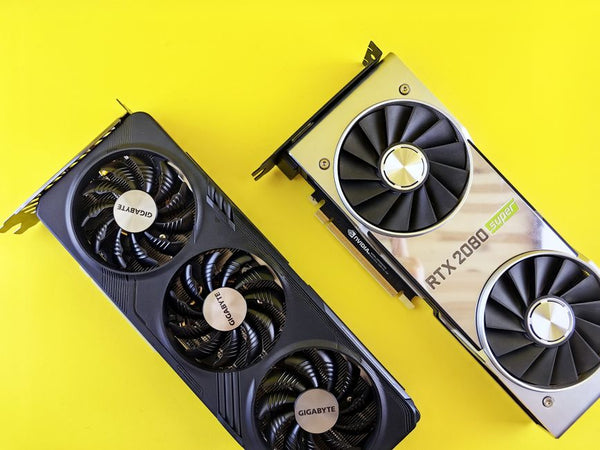
Honestly, this feels like buying a high-end graphics card with cutting-edge specs but then realizing it only has HDMI 2.0 outputs. The wireless performance is future-forward, but the wired connectivity is stuck in 2019. When you're paying $300+ for a router that can theoretically push 11 Gbps wirelessly, having wired connections bottlenecked at 1 Gbps is genuinely frustrating.
Real-World Impact for Gamers
Let me paint a picture of why this matters. You've got your gaming PC hardwired because you're not taking any chances with wireless latency. Your NAS is connected for game storage and media streaming. Maybe you've got a streaming setup with a capture card that needs reliable bandwidth. Suddenly, you're fighting for those four 1 Gbps ports, and everything becomes a compromise.
I had a customer last week who wanted to build their custom gaming PC with BitCrate and needed a router that could handle both wireless devices and multiple wired high-bandwidth connections. Had to steer them toward alternatives because the BE770 just can't deliver on the wired side.
Setup and Software: Surprisingly Solid
Credit where it's due – TP-Link's setup process is actually pretty smooth. The Tether app walks you through configuration without making you feel like you need a networking degree. The web interface is clean, responsive, and doesn't look like it was designed in 2003 (looking at you, Netgear).
QoS settings are intuitive, and the gaming accelerator feature does seem to provide some benefit for latency-sensitive applications. Port forwarding is straightforward, and the guest network options are flexible enough for most home scenarios.
Security features include WPA3 encryption, automatic firmware updates, and TP-Link's HomeCare suite for basic network protection. Nothing revolutionary, but solid implementation of expected features.
Heat and Reliability Concerns
After running this router 24/7 for two weeks, I've noticed it runs surprisingly warm. Not "thermal throttling" warm, but definitely warmer than my previous router. The ventilation seems adequate, but I'd definitely recommend keeping it in an area with decent airflow.
Performance has been stable with no random disconnects or speed drops that I've experienced with some other Wi-Fi 7 routers. That's actually a bigger deal than it sounds – early Wi-Fi 7 adoption has been bumpy for some manufacturers.
Value Proposition: Great Wireless, Questionable Overall Package
Here's my hot take: the Archer BE770 feels like TP-Link built an amazing wireless router and then phone-in the rest of the package. At around $350 street price, you're paying premium money for what feels like a mixed bag of features.
The wireless performance genuinely justifies the Wi-Fi 7 upgrade if you've got compatible devices. But that LAN port situation is going to be a dealbreaker for anyone serious about wired connectivity. It's like having a monster CPU but pairing it with slow RAM – one component bottlenecks the entire system.
Personally, I think TP-Link missed an opportunity here. Include at least two 2.5 Gigabit LAN ports and this becomes an easy recommendation. As it stands, you're buying specifically for wireless performance and accepting compromises everywhere else.
Who Should Buy This Router?
The BE770 makes sense if wireless performance is your absolute top priority. Maybe you're in an apartment where running ethernet isn't feasible, or you've got a household full of Wi-Fi 7 devices that need maximum bandwidth. The wireless improvements are legitimate and noticeable.
Skip this if you need robust wired connectivity for gaming setups, NAS devices, or streaming equipment. The port limitations will frustrate you daily, and that's not worth any amount of wireless performance gains.
Bottom line: exceptional wireless performance handicapped by puzzling wired connectivity choices
TP-Link created something genuinely impressive with the wireless implementation here, but the complete package feels incomplete. Wi-Fi 7 is the future, and the BE770 delivers on that promise beautifully. Just don't expect it to handle your wired networking needs with the same level of excellence. Sometimes the most advanced tech comes with the most basic limitations – and this router proves that point perfectly.





















Leave a Comment