


This $8.97 TP-Link Ethernet Switch Could Fix Your Gaming Lag — But Are You Making These Setup Mistakes?
Look, I'll be straight with you — I've seen way too many gamers throw money at fancy routers and mesh systems while completely ignoring the simplest solution to their connectivity problems. That TP-Link 5-port Ethernet switch sitting at $8.97 on Amazon right now? It's probably the cheapest upgrade that'll actually make a difference in your setup.
But here's the thing everyone gets wrong about PC components like this: they think plugging it in is enough. Spoiler alert: it's not.
Why Your Wi-Fi Is Probably Sabotaging Your Gaming Experience
Remember when everyone said wireless was the future? Yeah, well, physics didn't get that memo. Your Wi-Fi signal still has to bounce around walls, fight through interference from your neighbor's Ring doorbell, and compete with literally every device in your house trying to stream TikToks.
I had this customer last month at our shop who was convinced his $2,000 gaming rig was "broken" because Valorant kept stuttering. Turns out he was gaming on Wi-Fi three rooms away from his router. The fix? A $12 Ethernet cable and this exact TP-Link switch. His ping dropped from 45ms to 8ms overnight.
Honestly, if you're serious about 4K streaming or competitive gaming, wireless just isn't it. Not when a wired connection costs less than a fancy coffee.
The Real Cost of Wireless Gaming
Here's what nobody talks about: packet loss. Your Wi-Fi might show full bars, but those little data packets are getting lost in transit more often than you think. Even a 1% packet loss rate can turn your Apex Legends match into a slideshow.
With this TP-Link switch, you're getting five additional Gigabit ports. That's enough to hardwire your gaming PC, PS5, Xbox Series X, streaming device, and maybe your work laptop. All for less than ten bucks.
Common Gaming Hardware Setup Mistakes That Kill Performance
Alright, let's talk about where people mess this up. Because buying the switch is just step one — and apparently that's where most folks stop thinking.
Mistake #1: Plugging Everything Into Your Router
Your router typically has four Ethernet ports max. So what do most people do? They daisy-chain switches or use those janky USB-to-Ethernet adapters. Stop. Just stop.
This TP-Link switch is unmanaged, which means it's plug-and-play stupid simple. Connect it to your router with one cable, then plug your devices into the switch. Each port gets the full Gigabit speed — no sharing, no throttling.
Mistake #2: Buying Cheap Ethernet Cables
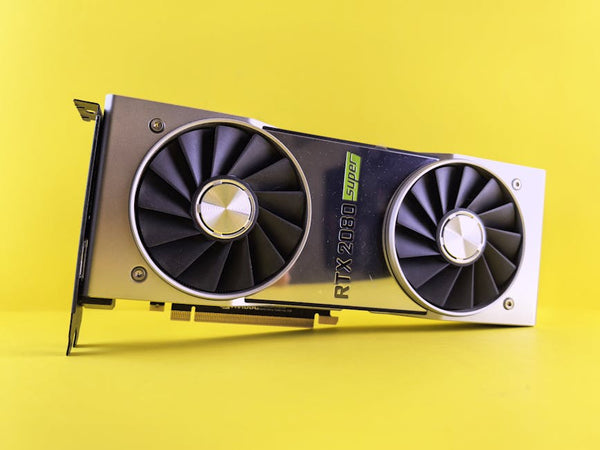
I see this constantly. Someone drops $300 on a new graphics card, then connects it with a Cat5 cable from 2003. That old cable is bottlenecking your entire connection.
Get Cat6 or Cat6a cables. They're not expensive, and they'll actually deliver the Gigabit speeds this switch promises. I'm talking maybe $5-10 per cable depending on length.
Mistake #3: Ignoring Cable Management
This one's more subtle, but it matters. Ethernet cables running parallel to power cables can cause interference. Keep them separate where possible, and don't coil excess cable into tight loops — it creates electromagnetic interference.
Pro tip: This TP-Link switch is fanless, which means it runs silent. Perfect for desktop setups where you don't want extra noise competing with your game audio.
Is This Switch Actually Worth the Hype?
Hot take: most networking gear is overpriced garbage designed to confuse you into buying more expensive options. But this TP-Link 5-port switch? It's the rare piece of computer parts that just works without breaking the bank.
The 47% discount brings it down from around $17 to $8.97. That's impulse-buy territory, and for good reason. You're getting:
- Five Gigabit Ethernet ports
- Plug-and-play setup (seriously, no configuration needed)
- Fanless operation for silent running
- Compact form factor that won't dominate your desk
I've recommended this exact model to probably fifty customers over the past year. Know how many came back with complaints? Zero.
When This Switch Won't Solve Your Problems
Let me be real with you for a second — this isn't magic. If your internet plan is 50 Mbps, this switch won't suddenly give you Gigabit speeds. It can only work with what your ISP provides.
Also, if you're in an apartment with terrible internet infrastructure, hardwiring might not help much. I helped one customer troubleshoot their connection issues only to discover their building's internet was running through ancient coax cables. No amount of switches was fixing that mess.
But for most people? This switch will eliminate the wireless bottleneck that's been holding their gaming and streaming back.
Setting Up Your Network Hub the Right Way
Here's how to actually set this thing up properly, because apparently the included instructions are about as helpful as a chocolate teapot.
First, find a central location near your router. The switch needs power, so make sure you've got an outlet nearby. Then connect your router to the switch with a good Ethernet cable — this becomes your "uplink."
Now here's where people get confused: which port do you use? Any of them. These are unmanaged switches, so every port is identical. Plug your gaming PC into port 2, your console into port 3, whatever. The switch figures out the rest.
Quick Performance Test
Want to see if it's actually working? Run a speed test on your devices both before and after connecting through the switch. You should see consistent speeds across all connected devices, with significantly lower latency than Wi-Fi.
For gaming specifically, check your ping in whatever online game you play most. I guarantee you'll see improvement, especially if you were gaming on Wi-Fi before.
Why This Deal Won't Last Long
Amazon pricing is weird, right? This switch bounces between $8.97 and $16.99 seemingly at random. At under nine bucks, it's an absolute steal for anyone building a serious gaming setup.
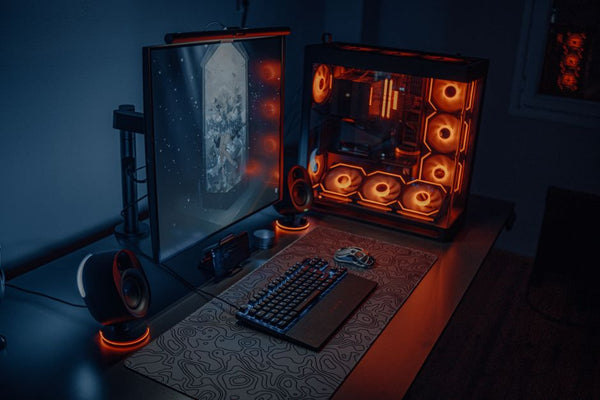
Whether you're looking to build your custom gaming PC with BitCrate or just upgrade your existing setup, reliable networking should be priority number one. No point in having a beast of a gaming rig if your connection can't keep up.
Personally, I think every gamer should have at least one of these switches in their setup. The performance difference between wired and wireless gaming is night and day, and at this price point, there's literally no reason not to make the switch.
Just don't come crying to me when your friends start asking why your gameplay suddenly got so much smoother. That's a good problem to have.











Leave a Comment