


Subnautica 2 Release Date and Gaming Performance Tips: Don't Sink Your Launch Day Experience
Remember when Subnautica first dropped and half the gaming community couldn't even launch it without their PCs crying for mercy? Yeah, let's not repeat that disaster with Subnautica 2. After watching countless customers stumble through optimization nightmares at our shop here in Orange, TX, I've seen every possible way people sabotage their own gaming experience before they even hit the water.
Subnautica 2 is officially launching in early access on January 19th, 2025. That's right around the corner. But here's the thing — knowing the release date is only half the battle.
The Launch Day Reality Check
Hot take: most gamers are setting themselves up for disappointment. They're so hyped about diving back into alien oceans that they forget basic PC optimization exists. I've literally had people walk into TieredUp Tech the day after a major release, frustrated because their "gaming rig" can't handle what they assumed would be a smooth experience.
Why does this keep happening? Simple. People treat every game like it's going to perform identically to the last thing they played.
Subnautica isn't your average indie survival game anymore. The sequel's early access build is already showing significantly higher system requirements than the original. We're talking RTX 4060 as the recommended GPU, not minimum. That's a huge jump from the original's modest GTX 1060 recommendation.
Common Launch Day Disasters (And How to Avoid Them)
Last week, a customer came in absolutely convinced his GTX 1070 would handle Subnautica 2 just fine because "it ran the first one perfectly." Nope. Wrong.
Here's what actually happens when you don't prep properly:
Your drivers are ancient. Seriously, when's the last time you updated them? NVIDIA and AMD both release day-one driver optimizations for major releases. Skipping this step is like trying to swim with concrete boots.
Your storage situation is busted. The game requires 45GB of space, but here's what they don't tell you — you need way more than that for smooth operation. Windows needs breathing room. Your page file needs space. Installation files need temporary storage. Budget at least 60-70GB of free space, preferably on an SSD.
You're running background programs that are eating your resources alive. Discord, Steam, Chrome with 47 tabs open, that crypto miner you forgot about — they're all competing for the same CPU cycles and RAM that Subnautica 2 desperately needs.
Gaming Performance Optimization That Actually Works
Honestly, most gaming tips articles overcomplicate this stuff. Let me break it down like I'm explaining it to someone who just wants to play without the technical dissertation.
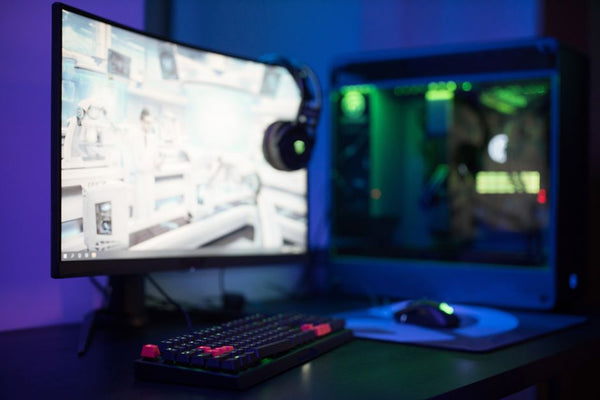
First priority: clean slate your system. Not a full reinstall (unless you're into that), but close literally everything except Steam and the game. Yes, even Spotify. The alien fish sounds are part of the experience anyway.
Second: check your temps before you even launch. Subnautica's underwater environments are gorgeous but they'll push your GPU harder than you expect. If you're already running hot during desktop use, you're going to thermal throttle the moment things get interesting.
The Hardware Reality Check
Can we talk about something that's probably going to be controversial? The RTX 4060 recommendation isn't actually that unreasonable.
I know, I know. It sounds excessive for what looks like "just another survival game." But here's the thing — Unknown Worlds Entertainment learned from the first game's performance issues. They're building Subnautica 2 on Unreal Engine 5 instead of Unity. That means better optimization potential, but also higher baseline requirements.
For 1080p gaming at medium-high settings, you're realistically looking at:
- RTX 4060 or RX 7600 minimum
- 16GB RAM (32GB if you want to multitask)
- Modern CPU (Ryzen 5 5600X or Intel 12400F territory)
Running older hardware? You're not completely out of luck, but manage expectations. The GTX 1070 crowd might squeeze out playable framerates at 1080p low settings, but it won't be pretty.
Pro tip from someone who's configured hundreds of gaming rigs: if your current setup struggles with Subnautica 1 at max settings, start planning your upgrade now.
Launch Time Strategy
Here's something most people don't think about — when you actually download and launch the game matters more than you'd expect.
Steam's servers get absolutely hammered on major release days. January 19th is going to be chaos. If you're planning to start playing right at launch (10 AM PST, by the way), preload the game at least 24 hours early. Better yet, do it this weekend when servers aren't stressed.
But honestly? Consider waiting until evening or the next day. I know that's gaming blasphemy, but hear me out. Early access launches are notorious for day-one patches, server instability, and unexpected performance issues. Build your custom gaming PC with BitCrate to ensure you're ready for a smooth experience, but even the best hardware can't fix server problems.
Remember the Cyberpunk 2077 launch? Even people with RTX 3080s were having miserable experiences because of software optimization issues that had nothing to do with their hardware.
The Smart Approach
Personally, I think the smartest move is treating this like any early access title — expect bugs, prepare for performance hiccups, and have realistic expectations about what "playable" means in week one.
That doesn't mean you shouldn't be hyped. Subnautica 2 looks incredible, and the cooperative multiplayer addition is going to change everything about how we experience these underwater worlds. Just don't let excitement override practical preparation.
Set yourself up for success by optimizing your system now, not after you've already encountered problems. Trust me, future you will thank present you for doing the boring prep work instead of troubleshooting frame drops while trying to escape a giant sea monster.
The ocean's waiting, but it'll still be there after you've made sure your PC won't sink the moment you dive in.
























Leave a Comment