


84% of You Practice Desktop Icon Hygiene, But 16% Are Gaming Monsters Who Don't Deserve Nice Things
Ngl, I wasn't expecting PC Gamer's latest poll to personally attack me this hard. Their survey dropped some brutal numbers: 84% of readers keep their desktops clean, while 16% apparently live in digital chaos that would make even a messy MTG deck look organized. That's like having four pristine Black Lotus cards and one that's been through a washing machine.
Look, I get it. Your desktop isn't where you spend your time – you're in Discord, Steam, or that browser with 47 tabs open (we've all been there). But desktop organization isn't just about aesthetics. It's about respecting your machine and yourself.
The Desktop Horror Stories That Keep Me Up at Night
Working at TieredUp Tech here in Orange, TX, I've seen some things that would make Gordon Ramsay weep. Picture this: a customer brings in their $3,000 custom build for a RAM upgrade, and I boot it up to find 247 desktop icons. Two hundred and forty-seven.
That's not organization. That's digital hoarding.
The worst part? Half those icons were broken shortcuts pointing to uninstalled games from 2019. Steam installers sitting next to Chrome download files sitting next to seventeen different versions of "New Text Document." It was like someone shuffled a deck of cards and threw them at the screen.
Your Desktop Isn't a Junk Drawer
Honestly, treating your desktop like storage makes about as much sense as keeping your best cards in a shoebox under your bed. Sure, they're technically safe, but you're making everything harder for yourself.
Hot take: if your desktop has more icons than a typical Start menu, you're doing it wrong. Your desktop should be a landing pad, not a warehouse.
New Games 2025 and the Icon Invasion
With major PC game releases dropping constantly, desktop clutter gets worse every month. Each new game wants to plant its flag on your desktop like it's claiming territory. Baldur's Gate 3, Starfield, Cyberpunk 2077 updates – they all want prime real estate.
But here's the thing: you don't have to let them. Most installers give you the option to skip desktop shortcuts, but do you read those prompts? Course not. You're mashing "Next" faster than someone cycling through their combo in Magic.
Personally, I think the only shortcuts that belong on your desktop are the ones you actually use daily. Steam? Sure. Discord? Absolutely. That random PDF from three months ago called "Important_Document_FINAL_v2"? Delete that trash immediately.
The Performance Impact Nobody Talks About
Here's what the 16% don't realize: desktop icons aren't free. Windows has to load and render every single one during startup. It's like running a weak graphics card with maximum texture settings – technically it works, but why would you torture yourself?
I've seen boot times cut by 15-20 seconds just from cleaning up desktop nightmares. That might not sound like much, but when you're eager to jump into the latest releases, every second counts.
The Psychology of Desktop Chaos
What drives someone to live with digital mess? It's the same mentality that keeps opened booster packs scattered across your desk instead of properly sorted in binders. You tell yourself you'll organize it later, but "later" never comes.
The cluttered desktop becomes wallpaper. Background noise. You stop seeing individual icons and just scan for the one you need. But that scanning takes mental energy – energy better spent on whether to counter that spell or save mana for your own turn.
Some people claim they know exactly where everything is in their chaos. That's like saying you can find any card in an unsorted collection of 10,000 cards. Maybe you can, but wouldn't it be easier if you didn't have to?
Desktop Folders: The Deckbox Solution
Smart desktop organization works like proper deckbox management. You group related items together, label them clearly, and keep only what you actively use accessible.
Create folders for different categories: "Games," "Work," "Downloads to Sort." Yes, having a "Downloads to Sort" folder means admitting you're not perfect, but at least you're containing the chaos. It's damage control, not defeat.
The key is treating these folders like actual organization tools, not digital junk drawers. Review them monthly. Delete what you don't need. Move important files to proper locations.
Building Better Digital Habits
Good desktop hygiene starts with installation awareness. When you're installing the next big PC game release, actually read those dialog boxes. Uncheck "Create desktop shortcut" unless you genuinely want it there.
Most games live in Steam, Epic, or GOG Galaxy anyway. Why clutter your desktop with shortcuts to launchers that launch other launchers? It's like keeping empty deck boxes on your gaming table – pointless visual noise.
Set a weekly desktop review. Seriously. Five minutes every Sunday to delete temporary files, organize downloads, and remove shortcuts you don't use. It's like sideboarding between matches – regular maintenance that keeps your game tight.
The Clean Desktop Advantage
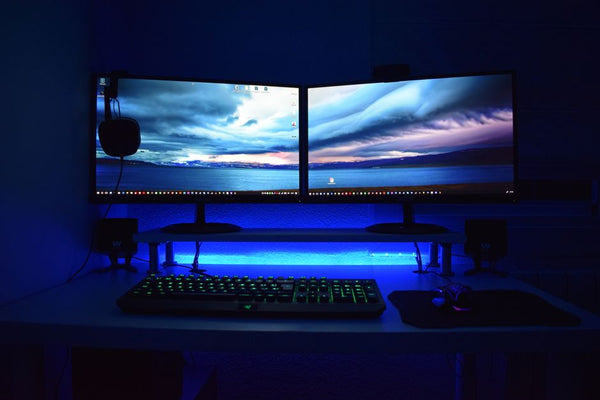
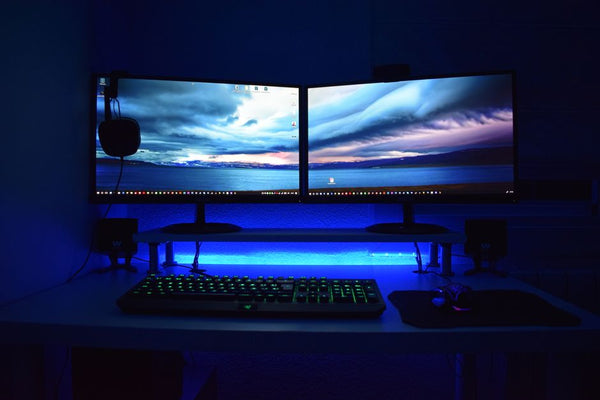
A clean desktop isn't just prettier – it's functional. You can actually see your wallpaper (assuming you chose something better than the Windows default). You can right-click anywhere without accidentally selecting seventeen random files. You can focus on what matters.
Plus, when friends come over to check out your setup or when you're streaming, you don't have to minimize everything in embarrassment. Your desktop becomes a feature, not a liability.
When someone asks to borrow your computer, you can hand it over confidently. No frantically closing windows or explaining why you have forty-seven shortcuts to different versions of the same game.
Intervention for the 16%
If you're part of the desktop chaos crew, intervention time starts now. Don't try to organize everything at once – that's like trying to sort your entire card collection in one sitting. You'll burn out and give up.
Start simple. Delete obvious trash: broken shortcuts, empty folders, random text files from 2022. Then tackle one category at a time. Move all game shortcuts to a "Games" folder. Organize downloads by date or type.
The goal isn't perfection – it's improvement. Even reducing your desktop icons from 200 to 50 is a massive win. Build your custom gaming PC with BitCrate and start fresh if you have to, but don't let digital clutter hold back your experience.
Remember: your computer is a tool, not a storage unit. Treat it with the respect it deserves, especially if you dropped serious cash on quality components. Your future self will thank you when everything runs smoother and looks cleaner.
The 84% figured this out already. Time to join the adults' table and show your desktop some love. Your gaming setup deserves better than looking like someone dumped a tackle box full of shortcuts everywhere.









Leave a Comment