If you have looked at higher-end gaming PCs recently, you have probably noticed processors with "X3D" in the name, such as the Ryzen 7 7800X3D, Ryzen 7 9800X3D and Ryzen 9 9900X3D. They are popular with gamers, and they usually cost more than similar chips without the X3D label. This guide explains what X3D actually means, when it is worth paying for, when a non-X3D processor makes more sense, and how the choice plays out in real BitCrate builds.
Prices in this guide are from our live catalog at the time of writing (November 2026). Prices change, so check each product page for the current figure.
What X3D means
X3D is AMD's name for processors with 3D V-Cache. AMD stacks an extra layer of cache memory on the processor, which gives the chip a much larger L3 cache than a standard Ryzen processor.
Cache is very fast memory that sits on the processor itself. When the data a program needs is already in cache, the CPU does not have to wait for it to arrive from system RAM. Many games repeatedly access large amounts of data, such as world state, physics and AI, so a bigger cache tends to help many games run more smoothly, particularly when the processor rather than the graphics card is the limiting factor.
The benefit varies from game to game. Some titles respond strongly to the extra cache; others barely change. It also matters most when the CPU is the bottleneck, which is more common at 1080p and 1440p with a strong graphics card, and in CPU-heavy genres such as simulation and strategy games.
What "non-X3D" covers
Non-X3D processors are everything else: standard Ryzen chips such as the Ryzen 5 9600X and Ryzen 5 7600X, and Intel processors such as the Core Ultra 7 265K and Core Ultra 9 285K. These are capable gaming processors too. The Intel Core Ultra chips in particular offer more cores, which helps with video editing, rendering and other heavily multithreaded work.
X3D vs non-X3D at a glance
| X3D (AMD 3D V-Cache) | Non-X3D | |
|---|---|---|
| Main strength | Large stacked L3 cache that tends to help many games | Lower build prices, or more cores for productivity work |
| Best for | Gaming-first builds, especially with a strong GPU | Budget builds, or mixed gaming and creative work |
| Where it matters less | When the graphics card is the bottleneck, such as 4K at high settings | CPU-bound games where extra cache helps |
| Typical BitCrate tiers | Epic, Legendary, Mythic | Every tier |
What each processor costs in a BitCrate build
Here is the price range of in-stock BitCrate builds by processor, at the time of writing (November 2026). These are whole-PC prices, not processor prices, so the range reflects everything else in the build too.
| Processor | Type | Build price range |
|---|---|---|
| Ryzen 5 9600X | Non-X3D | $1,752.37–$2,541.08 |
| Ryzen 5 7600X | Non-X3D | $1,893.00–$2,549.39 |
| Ryzen 7 7800X3D | X3D | $2,180.07–$4,123.62 |
| Core Ultra 7 265K | Non-X3D | $2,216.28–$3,567.65 |
| Core Ultra 9 285K | Non-X3D | $2,506.90–$5,046.37 |
| Ryzen 7 9800X3D | X3D | $2,508.56–$4,398.87 |
| Ryzen 9 9900X3D | X3D | $2,614.72–$5,225.91 |
The pattern is clear: X3D builds start higher, and the cheapest way into one at the time of writing is a Ryzen 7 7800X3D build.
Real BitCrate builds compared
Here are five builds from our catalog that show the choice in practice. Prices are at the time of writing (November 2026).
| Build | CPU + GPU | RAM / Storage | Price |
|---|---|---|---|
| Epic Fuchsia 3 | Ryzen 5 9600X + RTX 5070 | 32GB / 1TB | $2,211.95 |
| Legendary Regalia 28 | Ryzen 7 9800X3D + RX 9070 XT | 32GB / 1TB | $2,678.12 |
| Legendary Frostbyte 1 | Ryzen 7 7800X3D + RTX 5070 | 64GB / 2TB | $2,909.69 |
| Legendary Cirrus 27 | Core Ultra 7 265K + RTX 5070 | 64GB / 1TB | $2,927.66 |
| Mythic Frostbyte 8 | Ryzen 9 9900X3D + RX 9070 XT | 64GB / 4TB | $3,708.28 |
Non-X3D value: Epic Fuchsia 3
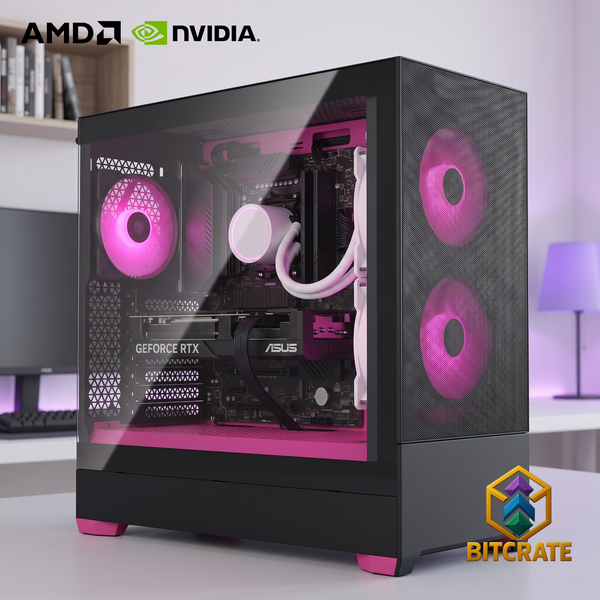
Epic Fuchsia 3 (Ryzen 5 9600X + RTX 5070, 32GB, 1TB, $2,211.95) shows the case for skipping X3D on a tighter budget. The money goes into an RTX 5070, and for many players the graphics card makes the bigger difference.
X3D with a strong GPU: Legendary Regalia 28
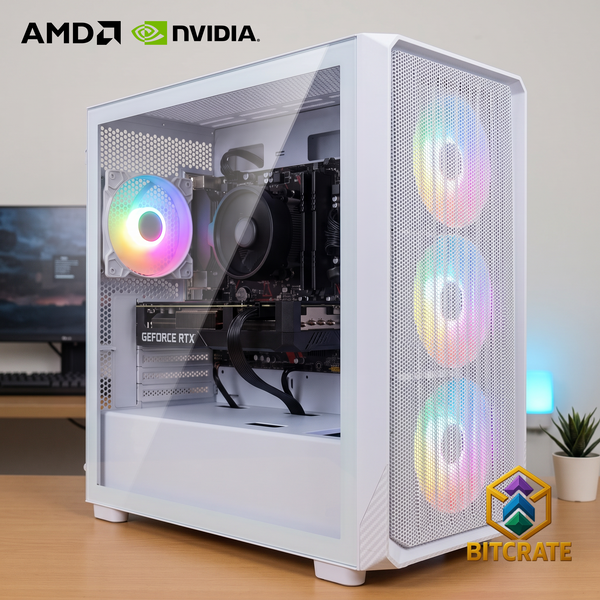
Legendary Regalia 28 (Ryzen 7 9800X3D + RX 9070 XT, 32GB, 1TB, $2,678.12) pairs an eight-core X3D chip with an RX 9070 XT. Sale pricing currently puts it below the Legendary band, which makes it one of the more affordable ways into a 9800X3D build at the time of writing.
Same GPU, different CPU: Frostbyte 1 vs Cirrus 27
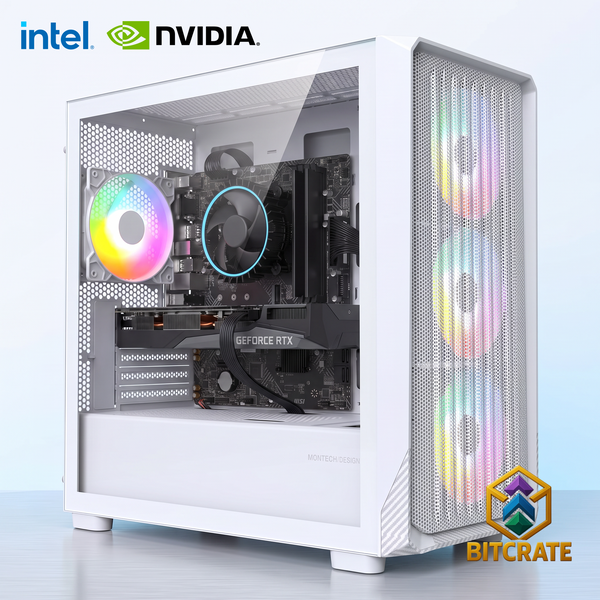
Legendary Frostbyte 1 (Ryzen 7 7800X3D + RTX 5070, 64GB, 2TB, $2,909.69) and Legendary Cirrus 27 (Core Ultra 7 265K + RTX 5070, 64GB, 1TB, $2,927.66) are a useful head-to-head. Both use an RTX 5070 and 64GB of RAM at a similar price. The Frostbyte leans toward gaming with its X3D cache and adds a 2TB drive; the Cirrus has the Core Ultra 7 265K's extra cores, which suit creative work alongside gaming.
X3D plus more cores: Mythic Frostbyte 8
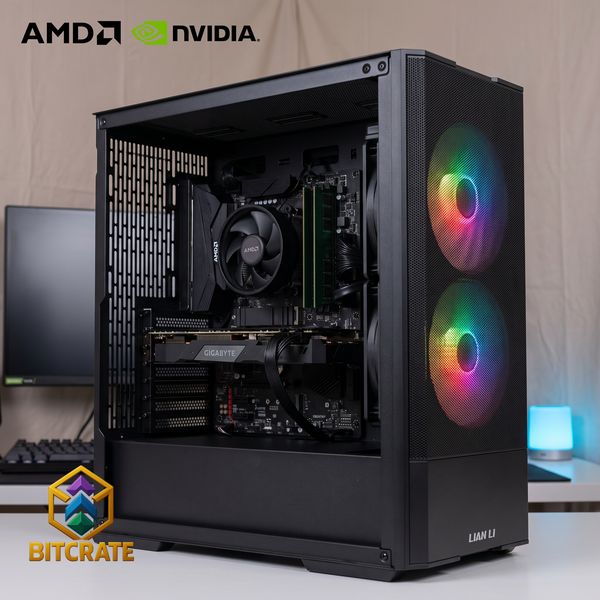
Mythic Frostbyte 8 (Ryzen 9 9900X3D + RX 9070 XT, 64GB, 4TB, $3,708.28) uses the 12-core Ryzen 9 9900X3D. It is aimed at people who game and also stream, edit or render. For gaming alone, the eight-core X3D chips are usually the more cost-effective choice.
So which should you buy?
- Gaming is the priority and the budget allows: an X3D processor, such as the Ryzen 7 7800X3D or 9800X3D, paired with a strong graphics card.
- Tighter budget: a non-X3D chip such as the Ryzen 5 9600X, with the savings put into the graphics card.
- Gaming plus heavy creative work: a Core Ultra 7 265K or Core Ultra 9 285K, or the Ryzen 9 9900X3D if you want X3D as well.
- Mostly 4K at high settings: the graphics card usually matters more than the processor, so prioritize the GPU.
What we check before it ships
Every BitCrate build is built to order and tested in our Orange, TX shop. Our QC checklist includes verifying RAM speed and amount, updating the BIOS, installing the latest GPU driver, verifying fan direction, and completing a burn-in test, a final scan and a final boot, along with Windows activation, drivers, and USB and sound tests. The completed checklist is emailed to you as a PDF when your build is finished.
New computers carry a 1-year labor warranty from the date of delivery or pickup, and every part carries its full manufacturer warranty. We can process manufacturer warranty replacements for you. The warranty doesn't cover tampering, modification, breakage or liquid damage.
Shop X3D and high-end builds
See every in-stock X3D build in our X3D gaming PCs collection, or browse Gaming PCs $3,000–$4,000, where X3D processors are common. You can also explore all of our custom gaming PCs or design your own in the BitCrate configurator. To spread the cost, compare options on our financing page.